
1) Introduction to networking:
Networking is the practice of linking two or more computing devices together for the purpose of sharing data. Networks are built with a mix of computer hardware and computer software.
A network, is a collection of computers and other hardware components interconnected by communication channels that allow sharing of resources and information.
Reference:
2)Course Introduction:
This course is designed to provide a full overview of computer networking. We’ll cover everything from the fundamentals of modern networking technologies and protocols to an overview of the cloud to practical applications and network troubleshooting.
3)The TCP/IP Five-Layer Network Model:


Application Layer
As you might have guessed, the Application layer is where applications requiring network communications live. Examples of these applications include email clients and web browsers. These applications use the Transport Layer to send requests to connect to remote hosts.
Transport Layer
The Transport layer establishes the connection between applications running on different hosts. It uses TCP for reliable connections and UDP for fast connections. It keeps track of the processes running in the applications above it by assigning port numbers to them and uses the Network layer to access the TCP/IP network.
Network Layer
The Network layer is responsible for creating the packets that move across the network. It uses IP addresses to identify the packet’s source and destination.
Data Link Layer
The Data Link layer is responsible for creating the frames that move across the network. These frames encapsulate the packets and use MAC addresses to identify the source and destination.
Physical Layer
The Physical layer encodes and decodes the bits found in a frame and includes the transceiver that drives and receives the signals on the network.

Ex:Transmit Data Using Network Layers
Now that we know the primary job of each layer, let’s see how they work together to send and receive data across a TCP/IP network.
This is a simplified view of how the network layers work together to generate frames. Higher layers pass information to lower layers. Each layer adds information called a header to the data being passed to it. This header contains information the layer needs to perform its job. We will start at the Application layer.
Application Layer
The Application layer generates a message. In this case, the specific application is a web browser requesting a webpage download. This message is then sent to the Transport layer.
Transport Layer
The Transport layer adds the TCP or UDP header which includes the source and destination port addresses. Additional information like the packet sequence number used for TCP will also be added to the header. The data generated by the transport layer is referred to as a Segment if TCP is used, and is referred to as a Datagram if UDP is used. This segment is then sent to the Network layer.
Network Layer
The Network layer adds a header including the source and destination IP address to generate a packet. This packet is then sent to the Data Link layer.
Data Link Layer
The Data Link layer adds a header containing the MAC address information to create a frame. The frame is then sent it to the Physical layer to transmit the bits.
Reference:
https://microchipdeveloper.com/tcpip:tcp-ip-five-layer-model
4)The Basic of Network Devices:
Network cables are used to connect and transfer data and information between computers, routers, switches and storage area networks . These cables are essentially the carrier or media through which data flows.
There are different types of communications cables, and the appropriate type to use will depend on the structure and topology of the overall architecture of the system. The most commonly used types of communications cables are dominated by what is referred to as “twisted pair cable”. In local area networks; typically office environments, retail and commmercial sites, copper commincations cabling, i.e.,twisted pair cable is by far the most commonly used type of cable.
Twisted pair cable is used in many ethernet networks. Comprising of four pairs of thin wires or conductors, these ‘wires’ or conductors, are contained inside of the insulation or outer sheath of the cable. Each pair is twisted into several additional twists. These twists are designed to prevent interference from other devices and indeed from other adjacent cables!
Fibre optic cabling is specified where high bandwidths may be needed; especially in the data centre environment and where an installation demands high capacity, typically a hospital, airports, banks….However, Fibre optic cabling is fast becoming the medium of choice for any installation that is sending high volumes of data!
Of course, there are other types of cables, i.e., coaxial cable, multipair cable and of course, other types of media such as wireless, otherwise known as wifi.
Hubs and Switches:
A switch is effectively a higher-performance alternative to a hub. People tend to benefit from a switch over a hub if their home network has four or more computers, or if they want to use their home network for applications that generate significant amounts of network traffic, like multiplayer games or heavy music file sharing. Technically speaking, hubs operate using a broadcast model and switches operate using a virtual circuit model. When four computers are connected to a hub, for example, and two of those computers communicate with each other, hubs simply pass through all network traffic to each of the four computers. Switches, on the other hand, are capable of determining the destination of each individual traffic element (such as an Ethernet frame) and selectively forwarding data to the one computer that actually needs it. By generating less network traffic in delivering messages, a switch performs better than a hub on busy networks.
Routers:
A Router is a networking device that forwards data packets between computer network.
Let us understand this by a very general example, suppose you search for www.google.com in your web browser then this will be a request which will be sent from your system to the google`s server to serve that webpage, now your request which is nothing but a stream of packets don`t just go the google`s server straightaway they go through a series of networking devices known as router which accepts this packets and forwards them to correct path and hence it reaches to the destination server.
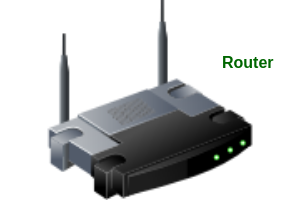
A router has a number of interfaces by which it can connect to a number of host systems.
Functions of a Router:
The router basically performs two major functions:
- Forwarding –
Router receives the packets from its input ports, checks it header, performs some basic functions like checking checksum and then looks upto the routing table to find the appropriate output port to dump the packets onto, and forwards the packets onto that output port. - Routing –
Routing is the process by which the router ascertains what is the best path for the packet to reach the destination, It maintains a routing table which is made using different algorithms by the router only.
https://www.geeksforgeeks.org/introduction-of-a-router/
https://www.javatpoint.com/router
5) Servers and Clients:
https://learntomato.flashrouters.com/what-is-a-client-what-is-a-server-what-is-a-host/





0 Comments