
Issue while adding .NET 3.5 framework feature in IIS :
This issue was related to adding/removing IIS server roles or features.It particular i faced issuw while trying to install .NET 3.5 feature in windows 2016 server machine.(This may cause with other windows servers machine too).
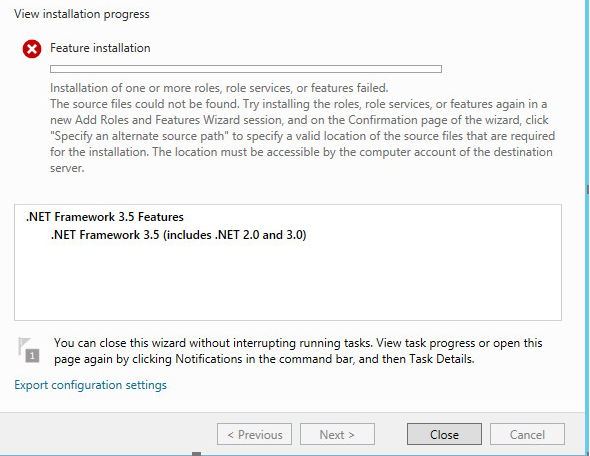

we need to click on specify an alternate source path and select file which is usually located at E:\source\sxs location.
If you do not have mounted ISO file then you need to get it.This happened in my case and i followed below steps:
1)Downloaded windows 2016(any windows server with which you are facing issue) ISO file from below link:https://www.microsoft.com/en-us/evalcenter/evaluate-windows-server-2016
2)Copy the file located in sources\sxs directory.
3)Create a temp folder(any folder with any name ) and paste copied content.
4)Perform adding features steps and select the temp folder by 'clicking on specify an alternative sourcepath' in confirmation tab.
5)It work ssuccesfully with out any issues this time.
References:





0 Comments